HRMS software for Indian businesses
HRMS Software for Indian SMEs and Enterprises
Connect employee records, attendance, leave, payroll, expenses, approvals, and self-service in one practical HRMS for growing Indian teams.
Already joined us? Log in




HRMS software brings core human-resource processes into one system. EasyHR is HRMS and payroll software for Indian companies that want employee records, attendance, leave, payroll, expenses, approvals, and employee self-service to work from connected information instead of separate spreadsheets, files, and chat threads.
HRMS software for connected HR and payroll workflows
EasyHR helps Indian SMEs and enterprises manage employee records, attendance, leave, payroll, expenses, approvals, and employee self-service in one practical HRMS. Start with the HR processes creating the most repeated work today, then test the connected workflow with your own employee data, policies, and payroll cases.
HR software for small and growing teams
Small businesses often reach a point where HR work no longer fits comfortably in a few spreadsheets. Employee details live in different files, managers approve leave and attendance in chat, payroll inputs are rebuilt at month end, and employees ask HR for balances, documents, payslips, and request updates.
EasyHR is designed for growing small and mid-sized businesses that need a central HR system without starting with an unnecessarily complex enterprise rollout. It is worth evaluating when your business needs to:
- Keep employee details and documents in one controlled place.
- Manage attendance across office, remote, field, or multiple-location teams.
- Route leave, attendance, claims, or travel requests through visible approvals.
- Prepare payroll from approved attendance and leave information.
- Give employees access to payslips, balances, documents, and routine requests.
- Produce reports without combining disconnected exports.
A standalone payroll tool may be enough for one simple salary calculation. EasyHR is a broader option to evaluate when employee records, attendance, leave, payroll, expenses, and approvals need to connect.
What HR and payroll software connects
Employee records and documents
Employee management keeps employee profiles, documents, roles, reporting relationships, and lifecycle information together. A shared employee record gives attendance rules, leave policies, payroll details, approvals, and access the same foundation.
Attendance, shifts, and corrections
Attendance management supports web, mobile, and biometric attendance for office, remote, field, and multiple-location teams. Employees can request corrections for missing or incorrect records, while managers or HR review and approve changes. The page also documents shifts, overtime, device integrations, and attendance reports.
Leave and holiday workflows
Leave management supports leave applications, balances, holidays, approval workflows, team calendars, leave history, and payroll-ready records. Employees can check balances and request leave while managers review requests with the team calendar in view.
Payroll processing
Payroll software supports salary components and deductions, payroll reports, overtime, loans, incentives, arrears, tax declarations, salary disbursement, bank reports, and full-and-final settlement. Payroll teams should validate configuration with their own salary structures, policies, locations, and employee cases.
Claims, expenses, and approvals
Employees can submit claims with supporting information, managers can review them, and approved amounts can move into the appropriate finance or payroll workflow. This gives the team a clearer alternative to reimbursement follow-up across email and chat.
Employee self-service
Employee self-service lets employees access relevant HR information and handle routine actions such as personal-information updates, time-off requests, attendance, timesheets, claims, and payslips. Managers can review items assigned to them instead of sending every decision back to HR.
From employee action to payroll-ready records
A connected HRMS is useful when each group knows what to do next:
- Employees record attendance and submit corrections, leave, claims, or other requests.
- Managers review pending items before the relevant cut-off.
- HR checks unresolved attendance, leave balances, employee changes, and payroll inputs.
- Payroll reviews approved earnings, deductions, reimbursements, arrears, and loss-of-pay inputs.
- The team validates the payroll run before salary processing.
- Employees access their payslips through self-service.
- HR and finance use the reports needed for review and reconciliation.
The value comes from the connection between these steps. Buying separate modules without a clear data flow can leave the same reconciliation work in place.
When to evaluate HRMS software
EasyHR may be worth evaluating when employee information sits across spreadsheets and folders, managers approve requests through email or chat, attendance corrections arrive after payroll cut-off, HR rebuilds payroll inputs each month, or employees depend on HR for payslips, balances, documents, and request status.
For HR and payroll software searches, ask whether employee records, attendance, leave, approvals, payroll inputs, and employee access actually connect in the monthly workflow—not only whether a product includes both labels.
What to prepare before implementation
HRMS implementation combines software configuration with data cleanup, policy decisions, ownership, and testing. Before a rollout, prepare module scope, locations, responsible owners, cleaned employee and policy data, realistic test cases, a controlled payroll comparison where payroll is in scope, role-based training, and launch-support criteria.
Confirm how existing employee, attendance, leave, and payroll data will be migrated. Test joins, exits, attendance corrections, overtime, arrears, reimbursements, loss of pay, and other cases that usually require manual intervention.
Questions to ask during an HRMS demo
- How will our existing employee, attendance, leave, and payroll data be migrated?
- Can you demonstrate our shift, overtime, leave, arrears, reimbursement, and loss-of-pay rules?
- Which payroll and statutory activities are handled in the product, and what remains with our team?
- Which modules and services are included in the proposed price?
- How are roles, approvals, changes, and sensitive employee documents controlled?
- Which biometric, finance, or business-system integrations are available?
- What work is expected from HR, finance, IT, managers, and employees during implementation?
- How does pricing change when headcount, locations, legal entities, or modules increase?
For a broader shortlist, read the HR software in India comparison guide. It is an informational comparison, not a universal ranking; confirm current scope and pricing with each vendor.
HRMS software FAQs
What is HRMS software?
HRMS software centralizes core HR information and workflows such as employee records, attendance, leave, payroll, approvals, documents, reports, and employee self-service. EasyHR combines these workflows for Indian companies in one platform.
What is the difference between HR software and payroll software?
Payroll software focuses on salary calculations, deductions, payslips, reports, disbursement, and settlement. HR software covers a wider set of employee and workforce processes. An HRMS and payroll system connects both areas so payroll can use employee, attendance, leave, claims, and approval information.
Is EasyHR suitable for small businesses?
EasyHR is designed for growing small and mid-sized businesses that have moved beyond basic spreadsheets and need practical HR and payroll workflows. Teams should evaluate the product against their employee count, locations, policies, integrations, and implementation needs.
Does EasyHR support enterprises and multiple locations?
EasyHR’s documented HRMS and attendance content describes use across departments, shifts, office, remote, field, and multiple-location teams. An enterprise should confirm the required modules, legal entities, permissions, integrations, rollout ownership, and support scope during evaluation.
Can EasyHR connect attendance and leave to payroll?
The existing HRMS, attendance, leave, and payroll pages describe payroll-ready attendance and leave records. Confirm the exact attendance rules, leave policy, loss-of-pay treatment, approval sequence, and payroll configuration for your organization.
Does EasyHR offer employee self-service?
Yes. EasyHR’s employee self-service page documents access to personal information, time-off requests, attendance, timesheets, claims, payroll information, and payslips, with mobile access described for the self-service experience.
Bring your HR and payroll workflows into one place
Start with employee records, attendance, leave, payroll, expenses, approvals, or self-service—the workflow causing the most repeated work today. Then test how the connected process fits your policies, people, and locations.
Review EasyHR pricing or explore payroll software.
Request a Demo
EasyHR modules
Add the HR workflows your team needs as its processes grow.
Leave management software for Indian SMEs
EasyHR gives Indian SMEs a practical employee leave management system for leave applications, balances, holidays, approval workflows, team calendars, and payroll-ready records.
Learn more →Payroll Processing
Streamline your payroll with automated calculations, accurate tax deductions, and easy pay slip generation. Save time, reduce errors, and ensure employees receive timely, accurate payments every payday.
Learn more →Attendance Management Software
Track attendance for office, remote, and field teams through web, mobile, or biometric devices. Review corrections, overtime, shifts, and payroll-ready records in one place.
Learn more →Employee Management
Effortlessly handle employee data, profiles, and documents in a single, centralized platform. Keep records organized, accessible, and up-to-date for efficient HR management.
Learn more →Claims Management
Claim management streamlines the reimbursement process, ensuring fast and accurate settlements. Simplify submissions, approvals, and payments to reduce delays and improve efficiency for both employees and HR.
Learn more →Recruitment
Recruitment software helps you find the right talent faster by streamlining the hiring process. Easily post job openings, track applicants, and assess candidates, ensuring you hire top talent with efficiency and ease.
Learn more →Manage Employee Data
Managing employee data through spreadsheets can be overwhelming and prone to errors. HR software simplifies the process, allowing you to easily update, manage, and track employee information, no matter where your team is located.
Claims Management
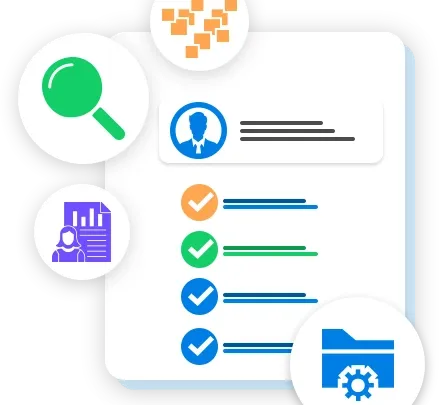
EasyHR’s Claim Management system streamlines the expense reimbursement process, allowing employees to submit claims effortlessly through a user-friendly platform. Managers can review, approve, or reject claims in real-time, ensuring transparency, reducing paperwork, and accelerating reimbursements. With detailed tracking and reporting features, EasyHR simplifies claim management and enhances financial control for organizations.

Performance Management
EasyHR’s Performance Management solution empowers companies to effectively track, assess, and enhance employee performance. Through goal-setting, regular feedback, and comprehensive performance reviews, the platform fosters a culture of continuous improvement. Managers can easily set and monitor individual and team goals, ensuring alignment with business objectives. Tailored for dynamic workforce, EasyHR’s solution streamlines performance tracking, enhances accountability, and supports employee growth to drive organizational success across industries.
Leave Management
EasyHR Leave Management System enhances communication between HR and employees, streamlining the management of various leave types, including sick, vacation, and maternity leave. It allows online leave applications, tracks leave balances, and analyzes absence patterns, ensuring accurate tracking and automatic updates for improved efficiency and reduced lost time.
Project and Timesheet
EasyHR allows organization to keep a track record of the total time being spent by each employee on a particular activity through Timesheet. This ensures management there is no leakage on the employee’s time being utilized and proper resource utilization is carried on. Also, Management can get the details through click of button.

Frequently asked questions
Can't find the answer you're looking for? Reach out to our customer support team.
- How does HR software work?
- HR software gives HR teams one system for employee records and routine workflows. Employees submit requests, managers approve them, and HR or payroll teams use the same data for attendance, leave, salary processing, documents, and reports.
- What are the key features of an HRMS?
- A useful HRMS usually covers employee records, leave and attendance, payroll, onboarding, performance, documents, employee self-service, approvals, reports, and compliance records. The exact mix should match how your company runs HR today and what you expect to standardise next.
- Does HR software support payroll processing?
- Yes. HR software can send cleaner attendance, leave, overtime, reimbursement, and employee data into payroll. In EasyHR, payroll teams can use those inputs to calculate salary, eligible deductions such as PF or ESI, and payslips with less manual reconciliation.
- What are the benefits of cloud-based payroll software?
- Cloud payroll software lets HR and payroll teams work from updated records without maintaining an on-premise system. It can reduce spreadsheet handoffs, support remote access, connect payroll with attendance and leave data, and make it easier to roll out updates as the company grows.
10000+ Happy EasyHR Users
What our customers say

"True to its name Easy HR has completely eased our HR and related process along with accurate accountability from individuals in our system"
Ketan Kadam
·Founder & CEO at Maroosh

"Team Easy HR have been a pleasure to work with. EasyHR has been a steady and dependable business partner of MyCFO's over the years."
Venkat S
·Founder at Practus
Get Started !
Schedule a demo with EasyHR to experience ease of use and how an enterprise payroll software could be simplified.