Cloud-based vs Biometric Attendance System: Which Fits?
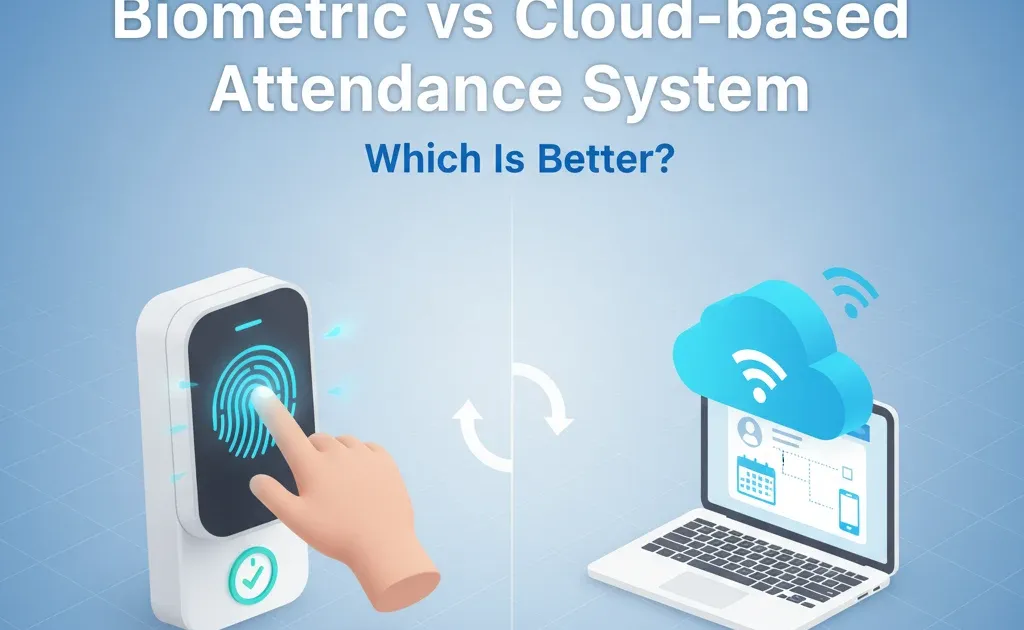
A biometric attendance system verifies a person at a fixed device, while a cloud-based attendance system records check-ins through a connected app or browser. Neither is automatically better. The right choice depends on where people work, how strongly you need to verify identity, what should happen during an outage, and how attendance reaches payroll.
For many Indian SMEs, the practical question is not “hardware or cloud?” It is whether the chosen setup can produce a reliable attendance record without creating a weekly queue of corrections for HR.
What is a biometric attendance system?
A biometric attendance system uses a fingerprint, face scan or another physical characteristic to identify an employee. The reader usually sits at an office, shop, warehouse or factory entrance. Some devices store records locally before sending them to HR or payroll software.
This approach can suit a workforce that reports to a fixed site. It gives the employer a stronger identity check than a simple PIN or shared register. The trade-off is dependence on hardware. HR needs a process for device faults, power or network outages, employees whose scans fail, and people working away from the registered location.
What is a cloud-based attendance system?
A cloud-based attendance system records attendance through a mobile app, web portal or connected device and keeps the record in a central online system. Depending on the product and company policy, check-ins may use login controls, GPS, geofences, approved devices or manager review.
Cloud attendance is often easier to use across offices, client sites and field teams because employees do not need to reach one physical reader. It still needs controls. HR should decide which locations and devices are allowed, how location data is handled, and how managers review missed or disputed punches.
Cloud-based vs biometric attendance systems
| What to compare | Biometric system | Cloud-based system |
|---|---|---|
| Best fit | Teams reporting to a fixed workplace | Distributed, hybrid or field teams |
| Identity check | Physical characteristic at the reader | Account, device, location or approval controls |
| Setup | Reader installation and device enrolment | App or browser rollout and policy configuration |
| Outage risk | Reader, power or local network failure | Internet, app or device failure |
| Multiple locations | More hardware may be needed | Locations can usually share one central system |
| Maintenance | Hardware cleaning, repair and replacement | Vendor updates plus device and access management |
| Payroll hand-off | Depends on the device integration or export | Depends on the product’s payroll workflow |
| Privacy review | Biometric templates and retention need close review | Location, device and account data need close review |
The comparison needs to cover the full workflow beyond the check-in screen. Ask how a record moves from punch to manager approval, correction and payroll. A system that captures attendance accurately but leaves HR to reconcile spreadsheets has only solved part of the job.
When a biometric system may fit better
Biometric attendance can be a sensible choice when most employees enter through a controlled workplace and the business wants a physical identity check. Factories, warehouses and retail locations may prefer this arrangement when employees do not use company phones or computers during a shift.
Before buying hardware, test awkward cases. Check what happens when a fingerprint is not recognised, a reader is offline, an employee moves between sites or a contractor needs temporary access. Also ask the vendor how biometric templates are protected, who can access them and when they are deleted. Your employment policies and legal advice should guide the final privacy and consent process.
When a cloud-based system may fit better
Cloud attendance often suits companies with field staff, hybrid teams or several branches. HR can review records centrally, while employees can check in through the approved method at their assigned location.
The demo should show more than a successful punch. Ask the vendor to demonstrate a lost phone, weak connectivity, an incorrect geofence result, a missed check-out and a manager correction. Confirm whether the system keeps an audit trail and how approved attendance feeds payroll. Those exception paths matter more than a polished dashboard once the system is in daily use.
A hybrid setup may be the practical answer
Some businesses do not need to choose one method for everyone. A fixed-site workforce can use biometric readers while sales, service or remote teams use app-based attendance. Both groups should still follow one approval and payroll process.
A mixed setup works only if HR can see the records together and apply clear rules by role or location. If each method produces a separate export, the apparent flexibility may simply move more reconciliation work to payroll week.
Attendance system buying checklist
Use these questions during vendor demos:
- Which employees and work locations will use each check-in method?
- What happens when the reader, phone, internet connection or power supply fails?
- Can managers correct a record without removing the original audit trail?
- How does approved attendance reach leave records and payroll inputs?
- Which biometric, location and device data is collected, and how long is it retained?
- Can HR limit access by role and remove access promptly when someone leaves?
- How are overnight shifts, multiple sites and field visits handled?
- What reports help HR find missing punches before payroll is processed?
EasyHR’s attendance management software supports mobile attendance, location-based controls and payroll-connected workflows. During a product review, use your own shift patterns, approval rules and failure cases rather than relying on a standard presentation.
Decision rule
Choose biometric attendance when fixed-site identity verification is the main requirement and the business can support the hardware. Choose cloud attendance when teams work across locations and central access matters more. Consider a hybrid setup when both workforce patterns exist, but insist on one correction, approval and payroll workflow.
Related EasyHR product
Manage attendance and leave with EasyHR
Track attendance for office, remote, and field teams — with leave and overtime built in.